
Family Plan Sharing
Whether you can share your ChatNow subscription with family members depends on how you subscribed.
Apple App Store subscriptions
Family sharing is supported only through Apple Family Sharing.
If your family members are part of your Apple Family group, your ChatNow subscription can be shared automatically.
How it works
All family members must be in the same Apple Family Sharing group
Each family member:
Uses their own Apple ID
Downloads the ChatNow app on their device
In some cases, they may need to open the app and tap Restore Purchase in the settings
If everything is set up correctly, access will unlock automatically.
How to activate it
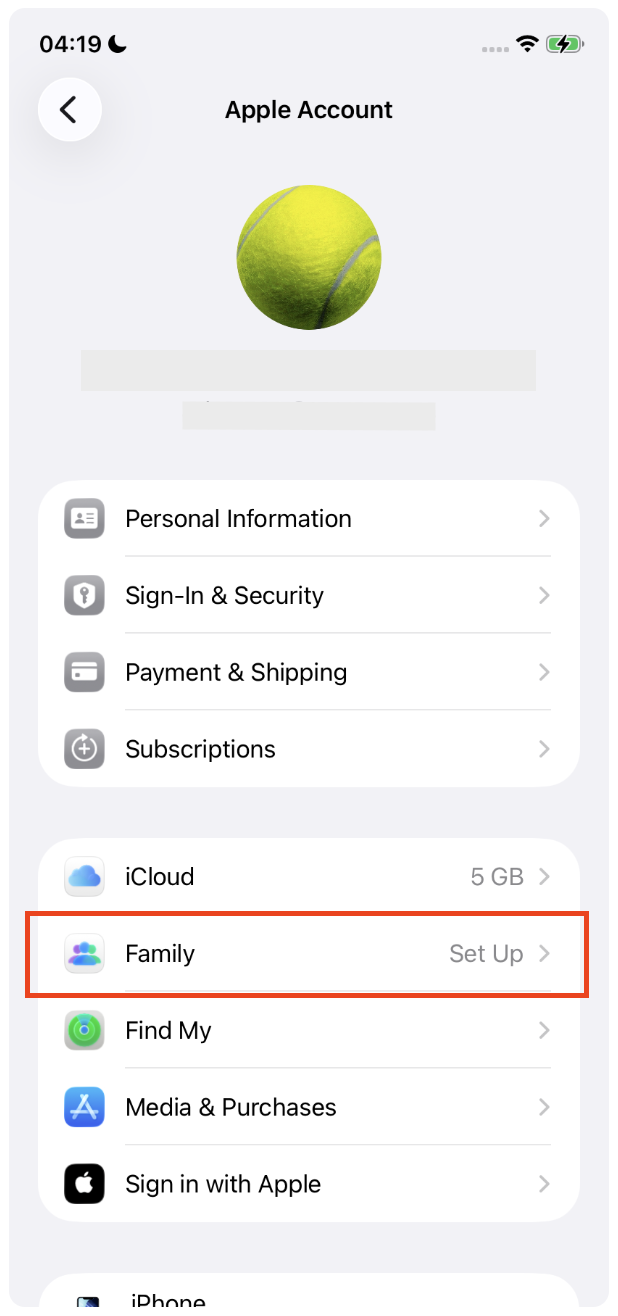
Start by activating the Family Sharing through your Apple ID settings. Tap your Apple ID and select Family to set up or manage your family group.
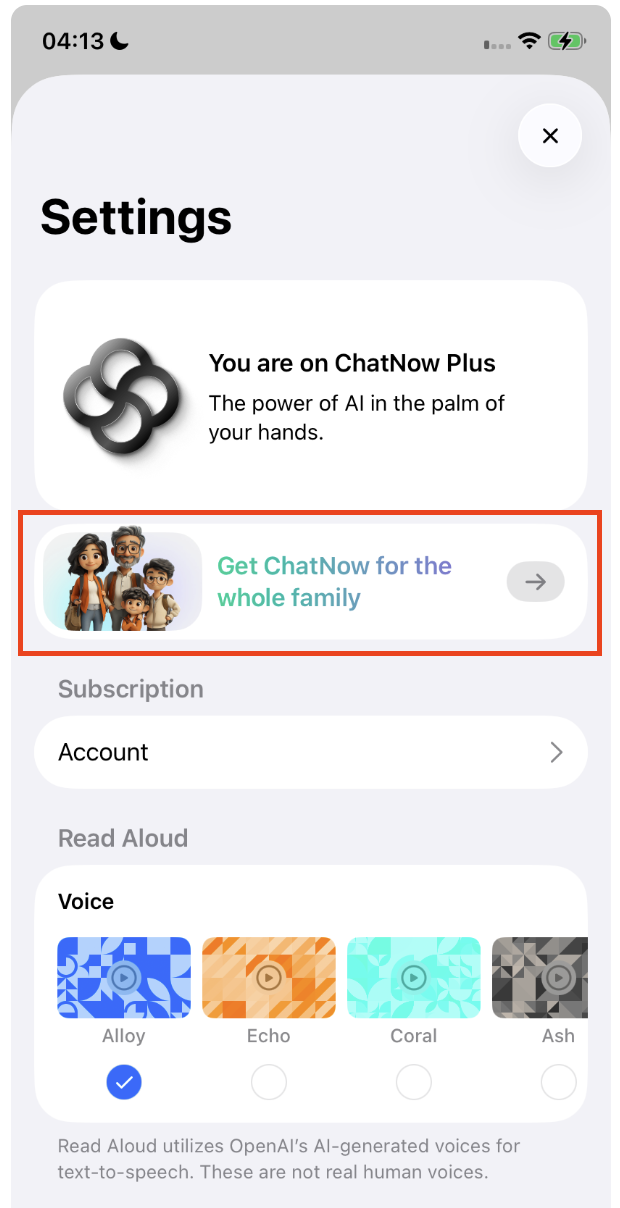
Once this is enabled, open ChatNow app on your device and go to your Settings. There you will find the button to subscribe to the Family Sharing Plan.
Website subscriptions
Family sharing is not supported for website subscriptions.
Website subscriptions:
Are linked to a single email address
Cannot be shared with family members
Do not support multiple users or seats
If you need access for multiple people, each person currently needs their own subscription.
Important to know
Family sharing works only via Apple’s Family Sharing system
ChatNow cannot manually add or remove family members
If someone is not in your Apple Family group, they will not have access
All family sharing rules are defined and enforced by Apple.
Common questions
Can I share my website subscription with my family?
No. Website subscriptions are single-user only.
Can ChatNow enable family sharing for my account?
No. ChatNow cannot override Apple Family Sharing or add sharing to website subscriptions.
Will family sharing be added for website subscriptions?
At the moment, this option is not available.
If family sharing doesn’t work
If you’re an Apple subscriber and family sharing isn’t working:
Make sure everyone is in the same Apple Family group
Confirm that family sharing is enabled for subscriptions
Ask family members to tap Restore Purchase in the app
If issues persist, Apple Support may be able to help with Family Sharing setup.