
Changing your subscription plan
How you change your ChatNow subscription depends entirely on where you originally purchased it.
Before proceeding, it’s important to identify which type of subscription you have.
Step 1: Where did you purchase your subscription?
There are only two possibilities:
Purchased via the app (Apple App Store)
Purchased via the website (Paddle)
ChatNow cannot move, merge, or convert subscriptions between Apple and the website.
App Store (Apple) subscriptions
Apple controls everything, including:
Plan changes
Billing
Trials
Refunds
Cancellations
We cannot modify Apple subscriptions in any way.
How to change your Apple subscription plan
You must do this directly in your Apple settings:
Open Settings on your iPhone or iPad
Tap your Apple ID (top of the screen)
Tap Subscriptions
Select ChatNow
Choose to:
Upgrade
Downgrade
Cancel
These actions cannot be performed inside the ChatNow app.
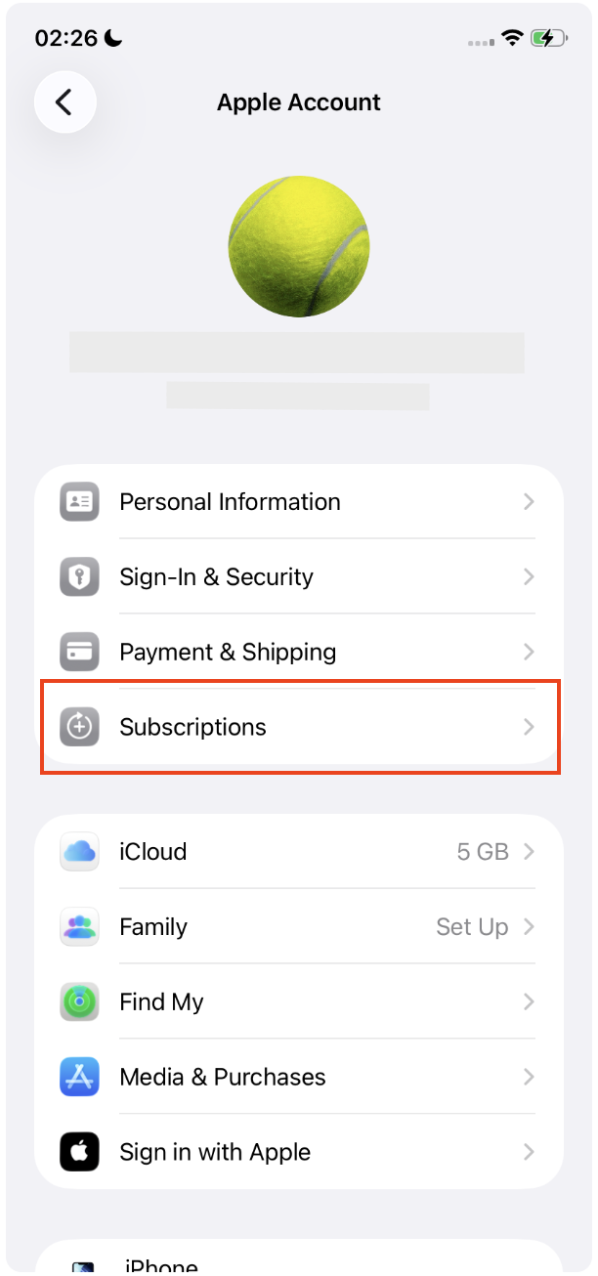
Important Apple rules to know
Upgrades usually apply immediately
Downgrades take effect at the next renewal
Canceling does not issue a refund
Deleting the app does not cancel your subscription
Trials
Only 3-day trials are available
Trials apply only to weekly plans
If you select another plan, the trial is skipped
If Apple refuses a refund request, we cannot override Apple’s decision.
Website (Paddle) subscriptions
Website subscriptions are managed by ChatNow and Paddle.
They are:
Not linked to your Apple ID
Managed entirely outside the App Store
How to change your website subscription plan
To manage your subscription, go to:
👉 https://billing.chatnow.app/
From there, you can:
Change plans
Update your payment method
Cancel your subscription
View invoices
Request refunds (where applicable)
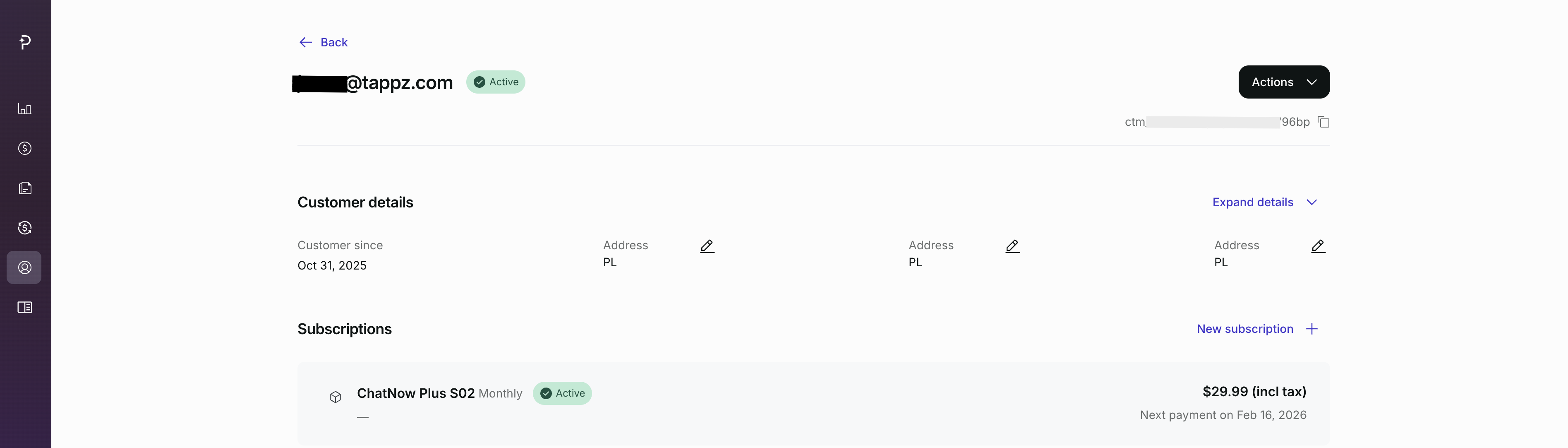
Step-by-step: accessing the billing dashboard
Enter the email address you used at checkout
Enter the security code you will receive at your email address
Access your billing dashboard
Select your subscription
Click on Actions to:
Change plan (in Edit subscription)
Cancel subscription
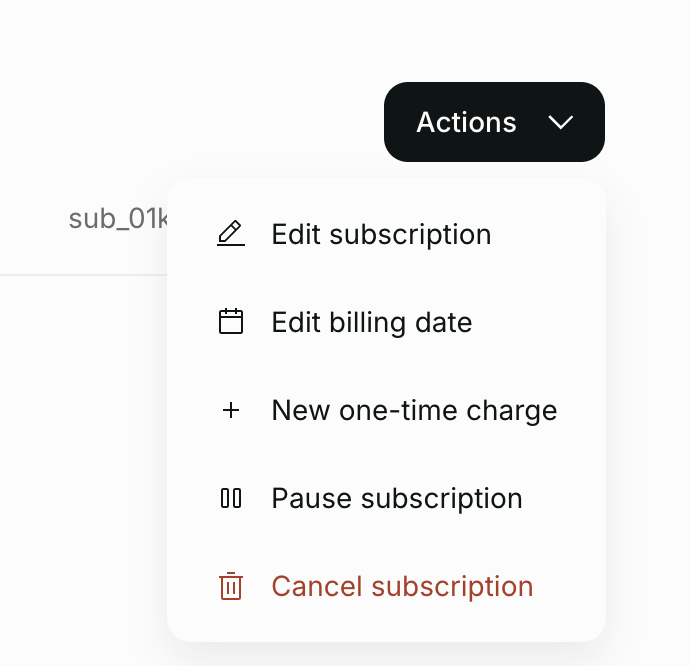
Your billing dashboard also gives you access to your Transactions, where you can view payment details, update your payment method, and request a refund.

Plan change behaviour
Upgrades usually apply immediately
Downgrades apply at the next billing cycle
Cancellation
Access continues until the end of the paid period
Refunds
Must be explicitly requested
Subject to Paddle’s approval
Processing typically takes 5–10 business days
Credits when changing plans
Credits are always tied to your active subscription status.
When upgrading: New credit allowances apply immediately
When downgrading
Higher-tier credits remain usable until the current period ends
Lower-tier limits apply at the next renewal
When canceling: Credits remain usable until the subscription expires. If a refund is approved, access may end earlier
What you cannot do
The following actions are not supported:
Convert an Apple subscription to a website subscription
Convert a website subscription to an Apple subscription
Merge multiple subscriptions
Transfer a subscription between email addresses
Refund used credits
Extend free trials
If you’re not sure which subscription you have
If you subscribed in the iOS app → Apple subscription
If you paid on the ChatNow website → Website subscription
If you’re still unsure, contact support and include:
The email you may have used
The platform you subscribed on