
Image or video generations
Image and video generation relies on AI models that interpret prompts differently. Results can vary depending on:
The model you selected
Whether you used a reference image
How specific your prompt was
Current system load
Even small prompt changes can lead to noticeably different results.
What to try first
1. Use the recommended models
For Images
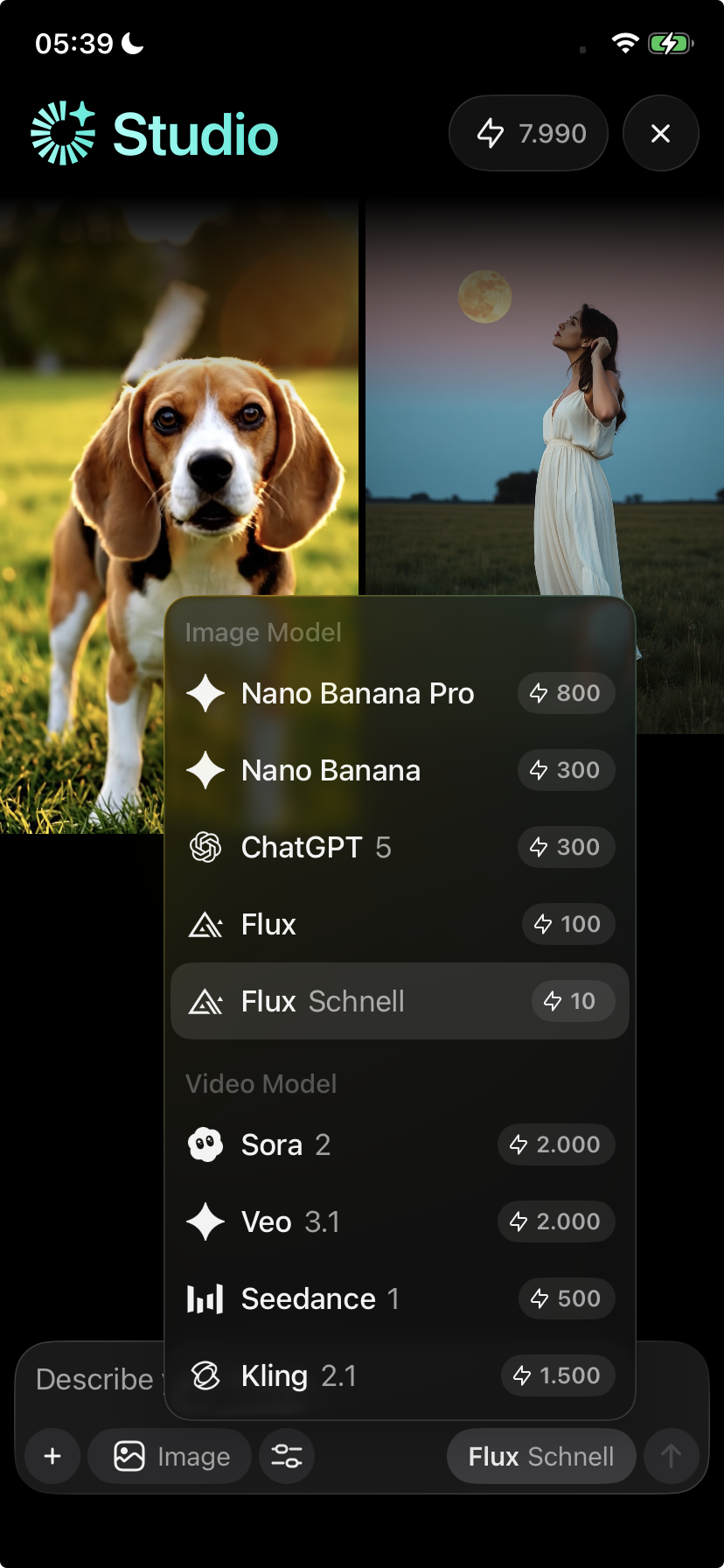
For the best results, we strongly recommend:
Nano Banana
Nano Banana Pro
These models:
Are more consistent with faces
Preserve identity better
Have a lower failure rate
Use credits more efficiently
Avoid switching models mid-project, as this often causes inconsistent faces or styles.
Videos
For the best results, we strongly recommend:
Veo 3.1
Sora 2
These models provide:
More stable video output
Better motion handling
Fewer failed generations
⚠️ Video generation uses more credits than images.
For better video results:
Keep prompts concise but specific
Avoid very long descriptions
Clearly specify:
Scene
Style
Camera motion (if needed)
Expected duration (if available)
Overly complex prompts often reduce accuracy.
2. Be very explicit in your prompt
Vague prompts often lead to unpredictable results.
Instead of:
“Make it better”
“Improve the face”
Try:
“Keep the same face, same ethnicity, same facial features, no changes to identity.”
The more specific you are, the better the outcome.
3. Use a reference image for people or faces
For images with people:
Start from a reference image whenever possible
Image-to-image edits are far more reliable than text-only prompts
This greatly improves facial consistency and accuracy
4. Generate fewer variations when accuracy matters
If you need precise results:
Generate fewer variations
Iterate slowly and deliberately
Avoid rapid retries with vague prompts
This reduces wasted credits and improves consistency.
Important credit information
Image and video generations consume credits once processed, even if:
The result is not what you expected
The output quality is poor
You retry or regenerate
Credits cannot be refunded or re-added. This behavior is expected.
Known limitations (not bugs)
The following are normal technical limitations:
Different models interpret faces differently
Switching models causes inconsistencies
Text-only prompts are less reliable for facial accuracy
Some generations may fail or appear delayed during high load
Feature availability can vary during backend updates
These are not considered bugs.
When to contact support
If generations consistently fail or don’t start at all, contact support and include:
The model you used
Whether it was an image or video
What prompt you used
Whether you used a reference image
What you expected vs what happened
This helps us identify genuine issues faster.